Evidence of accessibility work, for every client on your books.
ConformWatch is being built to scan every site you look after — on a schedule and on every deploy — and turn the results into a monthly report you send out under your own name.
Clients have started asking what you do about accessibility. “We build things properly” isn't an answer they'll take any more. They want to see it, per site, month after month.
No calls, no demo booking. You'll be dealing with the person who builds it.
| Client site | Last scan | Automated checks | Human review |
|---|---|---|---|
| harlow-dental.example.com | 04:12 nightly | clear | 3 open |
| pentworth-legal.example.com | 11:38 on deploy | 2 new | 1 open |
| orbit-cycles.example.com | 04:12 nightly | clear | none |
| westgate-lettings.example.com | 09:02 on deploy | clear | 2 open |
| fernbank-school.example.com | 04:12 nightly | 1 new | none |
| salt-and-stone.example.com | 04:12 nightly | clear | quoted |
Blue: a machine settled it
Amber: a person still has to look
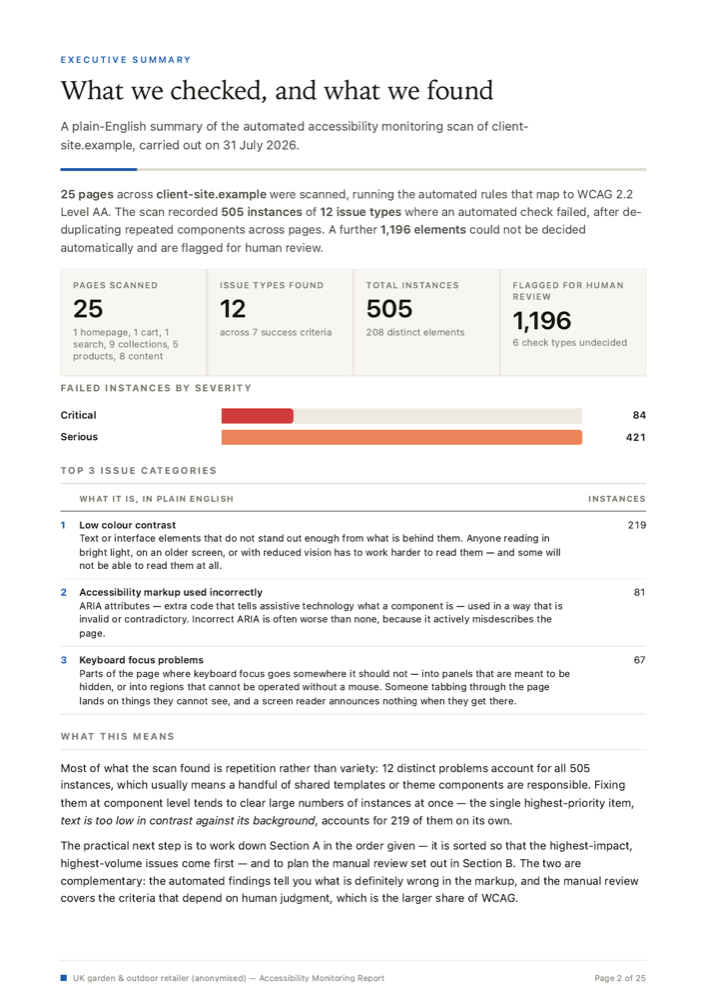
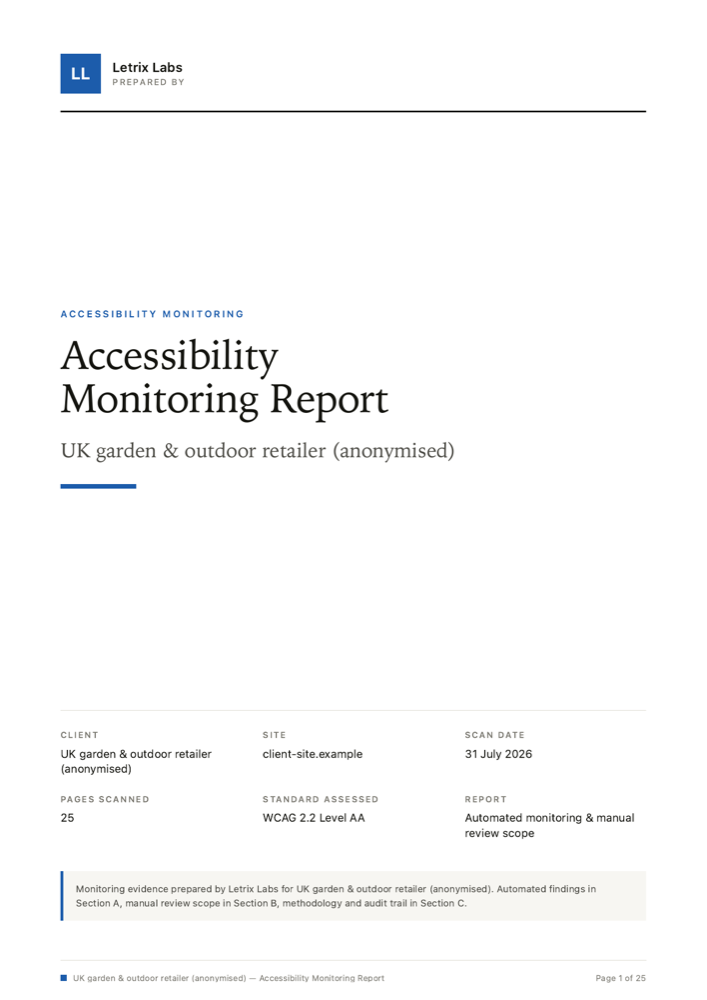
A real report, from a real scan — client name and domain redacted. The logo block, the accent colour and the wording are yours; this product's name appears nowhere in it.
The thing you actually send the client
Monitoring is only useful if it produces something you can put in front of the person paying the invoice. This is that thing.
Automated monitoring evidence
What was checked, on which pages, at which viewport, and when. Dated, and laid out the same way in every report so a client can compare one against the next.
Human-review scope your team can quote and bill
The checks a machine can't make, written up as a defined piece of work — which criteria, which pages, and how each one is checked. It becomes a line on an estimate instead of something your team absorbs.
An audit trail per client site
What was run, against which pages, under which standard, and what it found — recorded in the report itself. When a client asks what was checked and when, the answer is in the document rather than in someone's memory.
Set it up once, across the whole book
Three moving parts. None of them need anyone on your team to remember to do something on a Friday afternoon.
Scanning, on a schedule and on every deploy
Point ConformWatch at every site you look after — production, staging, whichever pages matter. The scanner is built and running today; I run it by hand. What I'm building next is the part that sweeps the lot overnight and re-checks a site as soon as you ship, through a CI step or a webhook.
Machine · scans
Regressions surface, not everything else
The design is one alert when a change introduces a new issue — naming the site, the page and the success criterion it fails — and silence when nothing has moved. The point is to know that a fix made in January is still holding in June, and to find out the week it breaks rather than the week a client notices. This is the part I'm building now.
Machine · alerts
Reports that go out under your name
Each client gets their own report: what was monitored, on which pages, what a person reviewed, and what's still outstanding. The generator is built — the sample on this page came out of it. Sending them monthly, into your drafts for approval or straight out, is the next piece.
You · send
What automated monitoring can and can't do
Automated checks cover a subset of WCAG. Everything else needs a person. Any tool that tells you otherwise is selling you something.
A scanner can settle these
- Images with no alternative text at all
- Form fields with no label attached to them
- Text colour that falls below the AA contrast threshold
- Empty links and buttons, and missing page language
- Duplicate IDs where ARIA depends on them being unique
Mechanical, unambiguous, and worth running constantly — because they creep back in with every content edit and every deploy.
A person has to decide these
- Whether the alternative text actually describes the image
- Whether a custom component makes any sense through a screen reader
- Whether a booking or checkout can be finished with a keyboard alone
- Whether focus and reading order match what a sighted user sees
- Whether an error message tells someone how to put it right
These are judgements about meaning. No scanner has an opinion about meaning, and no amount of engineering will give it one.
ConformWatch runs the first column and documents the second. That's the whole proposition. It keeps the automated half running continuously so it never quietly rots between projects, and it sets the manual half out as a defined, dated piece of work — which criteria, which pages, who reviewed them, when, and what they found.
It organises the work and records it. It doesn't do the work, and it isn't a substitute for someone who knows what they're looking at. If your team doesn't have that person yet, the scope document is at least a straight answer about what you'd be hiring for.
If a client asks how you're handling the European Accessibility Act, this gives you something honest to hand over: what's monitored, what a person has reviewed, and what is still outstanding. It is not a certificate of compliance — nobody can sell you one of those, and you should be wary of anyone who tries.
ConformWatch is not an accessibility overlay and never will be.
Pricing
ConformWatch is priced per client site, in agency tiers. I'm setting the numbers with the first agencies using it — if you monitor client sites and have a view on what this should cost, I'd like to hear it.
Send me a client site and I'll scan it
The sample report is a real scan of a real Shopify store, anonymised. Judge the product on the artifact, not on this page — and if you'd rather see one for a site you actually look after, send me the URL and I'll run it.
This is all in writing rather than on a call, on purpose. Ask me something I don't know off the top of my head and I'd rather go and check than improvise at you — accessibility has too many confident wrong answers in it already. You'll get a straight answer back, even when the straight answer is that it doesn't do that.
Or just email me at [email protected].